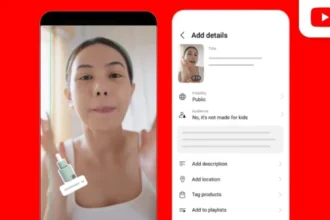
YouTube’s approach focuses on connecting its various content formats. Creators learning how to grow on YouTube can boost audience interaction by sharing YouTube Shorts, linking them to other content via Related Videos, and hosting vertical live streams.
According to YouTube’s official blog, YouTube focuses on integrating short-form discovery with different kinds of content. The Related Videos function can steer viewers watching Shorts to long-form videos, whereas vertical live videos provide another way to get viewers from the Shorts feed.
The shift from short views to deeper channel growth
YouTube Shorts can help creators focused on how to grow on YouTube guide audiences towards detailed videos, live sessions, and more content from their channels. With the help of YouTube-related videos, it becomes easy for the viewer to know what they should do next.
For instance, creators can connect a finance short with a detailed finance video, while a cooking short can link to a video featuring the full recipe.
What needs to change?
Creators also need a clear call to action so viewers know where to find the full content. There are YouTube creator tools that can help creators link their Shorts with long-form videos and vertical live streams. This creates several ways for viewers to move from short-form content to long-form content.
Why it matters and what creators should do next?
This update gives creators a clearer way to turn Shorts views into deeper audience engagement. Creator growth strategies can use Shorts to reach new viewers, long-form videos to provide deeper value, and live streams to encourage engagement.
For creators exploring how to grow on YouTube, this provides an opportunity to connect popular Shorts with relevant long-form videos, test different calls to action, and study viewer behaviour.
How to grow long-form content with YouTube Shorts
Step 1. Build a bridge with the Related Videos feature
Establishing the connection between the short and the long video is important. Select an appropriate long-form video that is aligned with the viewers’ interest and provides additional information.


Step 2. Incorporate a call to action
Just giving a link to the other video will not prompt the viewer to click on it. Include an explicit verbal CTA and visual hints in the last few seconds to direct the viewer to the video for more information.
Step 3. Provide immediate value
Ensure that you provide value to the viewer in the long-form video in the first few seconds, and do not give a lengthy introduction or something that is not aligned with the viewer’s question.
Step 4. Try out vertical live streams
Experiment with vertical live streams, as they will help you reach the viewers directly on the Shorts feed. You can also use the dual stream function of YouTube for your live videos.